 ELHEXA Codex
Skill Customization
A high-rarity card can carry 20+ skills, but in a real battle only a handful matter. Skill Customization lets you switch off the skills a card shouldn’t use, so it focuses on the ones that win fights — and it gives every card a single number, its Skill Power, that captures how strong its skill set is.
Skill Power (Total Stars)
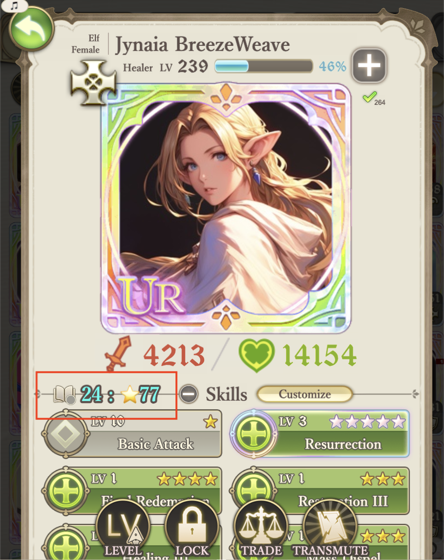
Every card shows a small summary next to Skills, written as count : ⭐stars — the number of skills that will fight, then their combined Skill Power.
- A Lv.1, 5★ skill contributes 5 (5 × 1).
- A Lv.3, 4★ skill contributes 12 (4 × 3).
When Customization is off, the summary counts every skill and shows in blue. When it is on, it counts only the skills that will fight and shows in red — so you can read at a glance whether a card is filtered.
What It’s For
Battles pick skills automatically. A card with too many skills can fire low-value ones, or waste a turn casting noise instead of the spell you wanted. Customization lets you focus a card on its key skills.
- Switched-off skills stay on the card — they are never lost, just held back from battle. Turn them on again any time.
- It applies to both PvE and PvP battles (your PvP ghost team is built from the customized skill set).
- It does not affect transmute, trading, or marketplace discovery — those always see the card’s full skill list.
How to Customize
Three steps, all on the card’s detail screen:
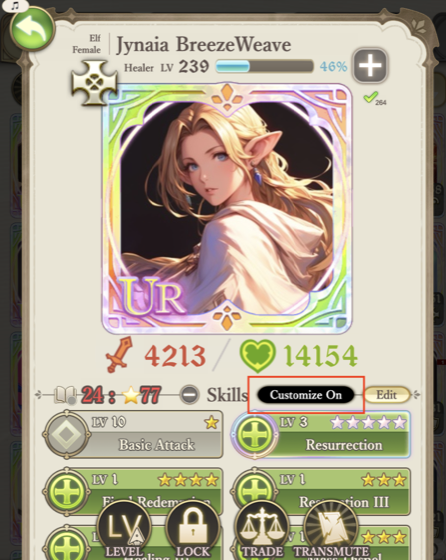
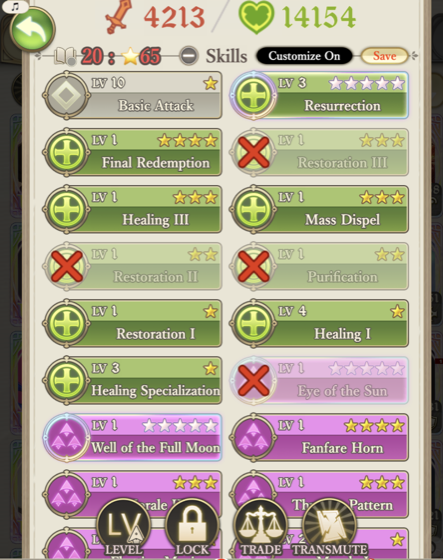
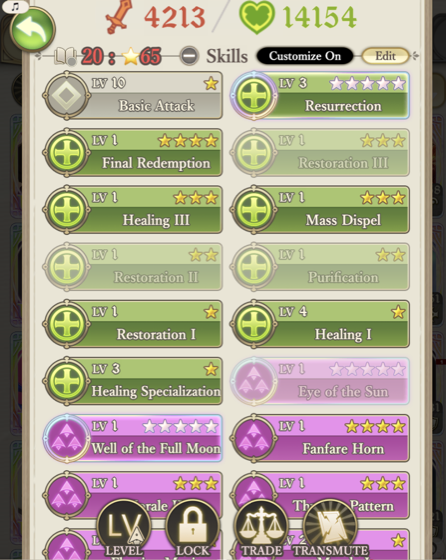
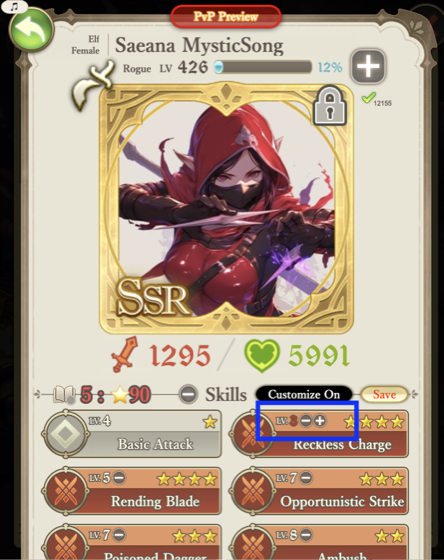
Adjusting Skill Levels
Edit mode does more than on/off: every skill above Lv.1 shows + / − buttons to raise or lower its level — down to Lv.1 and back up to the level the card has actually learned (never higher). A reduced level shows in red. Lowering a skill trims its Skill Power while keeping it in the kit — the precise way to fit a team under the ⭐U200 cap by choice. It’s a battle-level override: it never changes the skill’s real learned level, and it resets if the card is traded.