 ELHEXA Codex
Battle System
Battles are real-time auto combat encounters where your adventurers fight enemies using their equipped skills. Victory depends on party composition, adventurer strength, and a bit of luck — not reflexes or button timing.
Accessing Battles
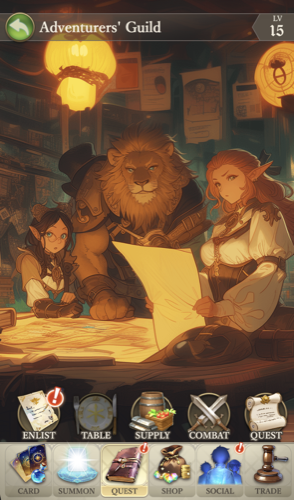
Battles are a type of quest, so they are found under the Quest tab within each institution.
Inside each institution, the Combat button sits right beside the normal quest button. Tap it to see available battle quests.
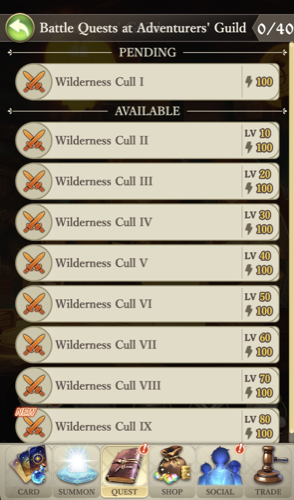
Select a battle quest from the list, then assign your party members to the six formation positions before starting. Each battle quest costs 100 energy to deploy.
Battle Quest Setup
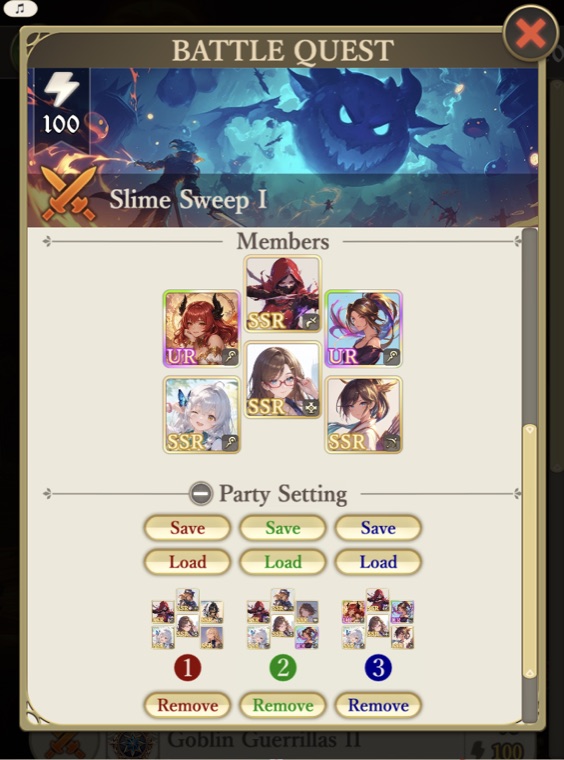
After selecting a battle quest, assign your adventurers to the six formation positions. Two additional panels help you manage parties and automate repeated runs.
Party Setting
The Party Setting panel lets you save and load party formations. You have 3 party slots — each stores a full six-member lineup. Tap Save to store your current formation into a slot, or Load to restore a previously saved party. If a saved member is no longer available (sold, deployed on another quest, or listed on the market), that member is skipped and the remaining members are loaded. Remove clears a saved slot.
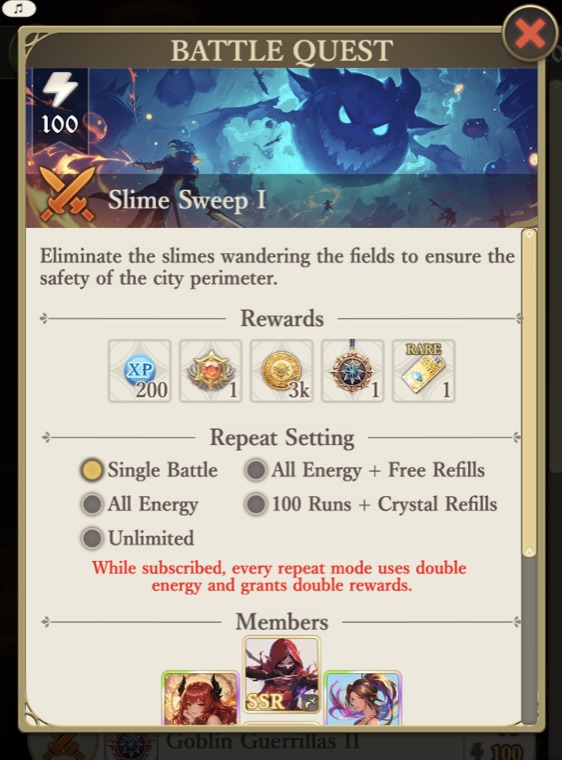
Repeat Setting
The Repeat Setting panel controls how many times a battle quest runs automatically. Five modes are available — from a single run to fully hands-off farming:
- Single Battle — run the quest once.
- All Energy — keep running until your current energy is used up. No refills of any kind are consumed.
- All Energy + Free Refills — use all energy, then consume the day’s free refills and keep going.
- 100 Runs + Crystal Refills — up to 100 consecutive runs — free refills are spent first, then energy is auto-refilled with Elhexa Crystals.
- Unlimited — no run limit — keeps auto-refilling with crystals until you stop (or your crystals run out).
In repeat modes, the same party formation is reused automatically, and results accumulate into a Battle Report shown at the end of the run. The two crystal-spending modes ask for confirmation before starting, and you can stop any repeat mid-battle — the run ends cleanly after the current fight, without buying another refill. With an active 30-Day Pass, every repeat mode spends double energy and grants double rewards.
Entering the Battlefield
Once you tap Deploy, the battle begins. Combat is fully automatic — your adventurers use their skills on their own. For details on what happens during combat, see How Battles Work →