 ELHEXA Codex
Home
The home screen is divided into three main areas: the top navigation bar, the center content area, and the bottom navigation bar.
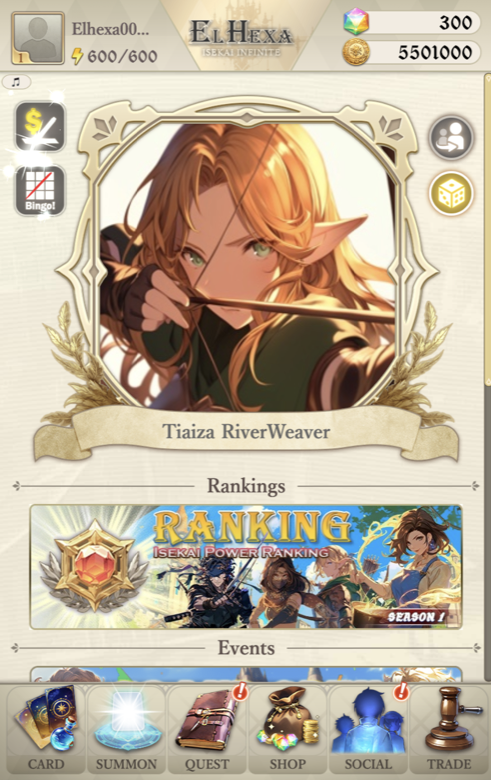
Top Navigation Bar

Player Profile — tap your avatar to open your User Profile with stats, settings, and rank info.

Energy — your current energy and maximum. Energy fuels all battle quest activity. See Energy for details.

ELHEXA Logo — tap to return to the home page at any time.

Elhexa Crystal — your premium currency balance.

Gold Coin — your gold balance, used for leveling, skills, and more.
Bottom Navigation Bar

Six tabs provide quick access to every major feature:
Card
Manage your adventurer cards.

Summon
Summon new adventurers.

Quest
Access quests and institutions.
Shop
Purchase crystals and items.

Social
Social features and events.

Trade
Card market and trading.
Center Content
The main area of the home screen features several interactive elements:
Daily Activities

Daily Check-In
Claim daily rewards.
Bingo! Rewards
Complete tasks for bingo prizes.
My Favorite Hero
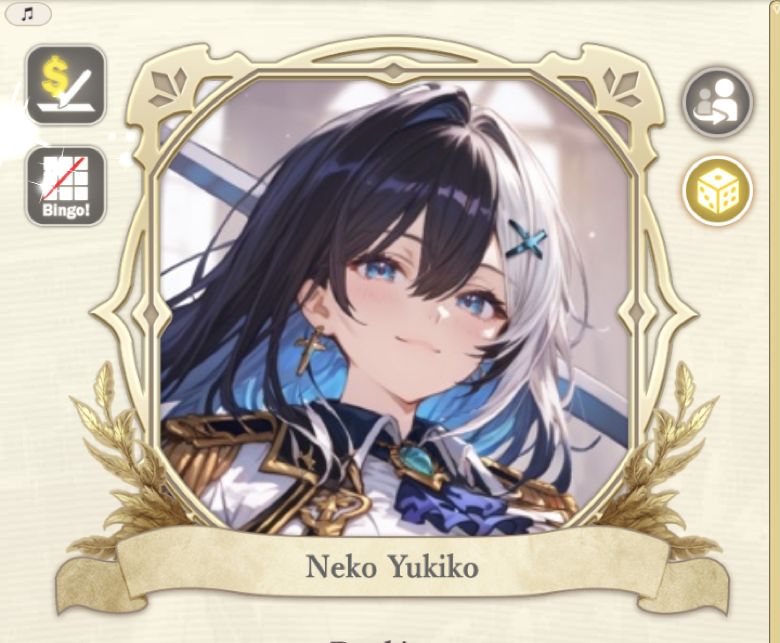
The center of the home screen displays your favorite adventurer. Use the two controls to switch between modes:
 Assign — choose a specific card
 Random — show a different card each time
Tapping your favorite hero lets you spend energy to give them EXP directly.
Information Sections
Below the hero portrait, three scrollable sections provide up-to-date info:
- Rankings — see the latest leaderboards and your position.
- Events — current in-game events and promotions.
- Information — news and announcements.